Arachnide v3.4
Arachnide SEO Spider
The free, open source SEO crawler — an alternative to Screaming Frog
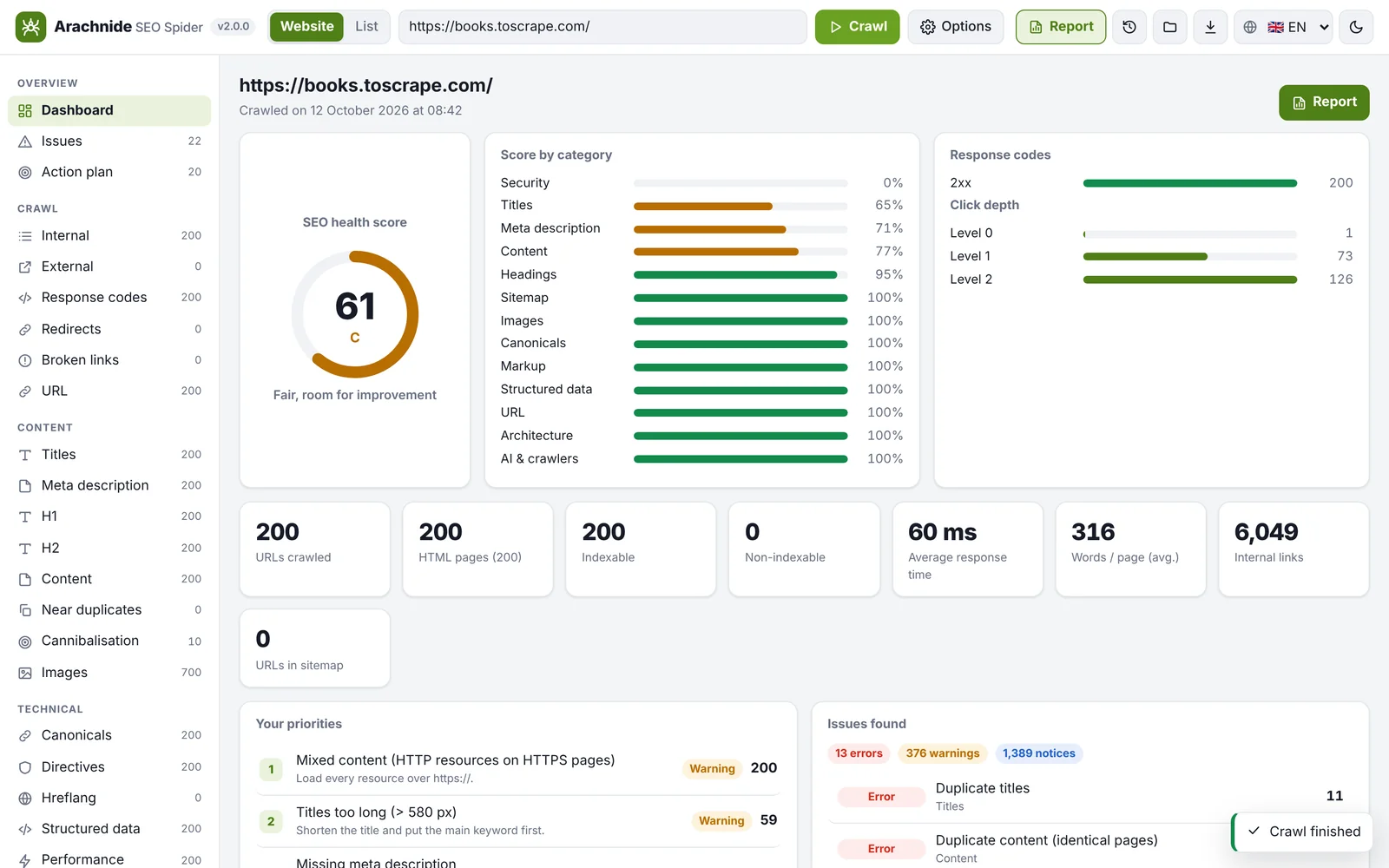
What Arachnide does
Site crawling: pages, depth and HTTP status
Broken link and redirect detection
Titles, meta descriptions and heading analysis
Canonical, hreflang and indexability checks
Interface in six languages
Audit reports exportable to PDF
In development
Coming next: AI corrections from your browser
A planned evolution: connect Claude AI or ChatGPT from the browser, suggest corrections and update your site after approval, with integrations for WordPress, Lovable, Bolt and other CMSs. This is not an available feature in this interface. The repository already documents an MCP integration with Claude Code or Claude Desktop.
Arachnide and Screaming Frog
| Tools | Arachnide SEO Spider | Screaming Frog SEO Spider |
|---|---|---|
| Software price | Free | Free version / paid annual licence |
| URL limit | No imposed page limit; configurable limits | 500 in the free version; no imposed limit in the paid version |
| Open source | Yes (MIT) | No |
| Interface languages | FR · EN · ES · DE · IT · PT | EN · ES · DE · FR · IT |
| PDF report | Yes | Exports and reports; no native PDF |
Reference documentation :ArachnideScreaming Frog
Installation
- 01
Download the repository ZIP or clone it.
- 02
Install Node.js 18.17 or later; run npm install in the project folder.
- 03
Run npm start and open http://localhost:4000 in your browser.
The software is free. External AI services and their APIs may charge their own fees.
Frequently asked questions
Is it really free?
Yes. Arachnide is distributed under the MIT licence and the software is free. Optional integrations with external services may require accounts, API keys or paid services.
Do I need to know how to code?
Not to run audits in the interface. The current installation does require Node.js and a few terminal commands. The README explains the steps and requirements.
Is my data sent anywhere?
Crawling and audit data run and are stored on your own computer. The crawler requests pages from the site being analysed. If you enable external or AI integrations, review the data shared and their terms before use.
Which operating systems are supported?
macOS, Windows and Linux, with Node.js 18.17 or later. See the README for installation requirements and JavaScript rendering options.
How was it developed?
I developed it with Claude AI. I am Thierry Gustin, an AI trainer for businesses, and I share the code so you can use, study and improve it.